A new feature on Apple devices can sometimes prevent St Albans School users from logging into the SAS-Portal wifi. This can be resolved by fixing the MAC address on the phone.
1. Connect to the SAS-Portal wifi and log-in using your St Albans School username and password.
a. if your username and password aren't working, please contact IT Services before continuing.
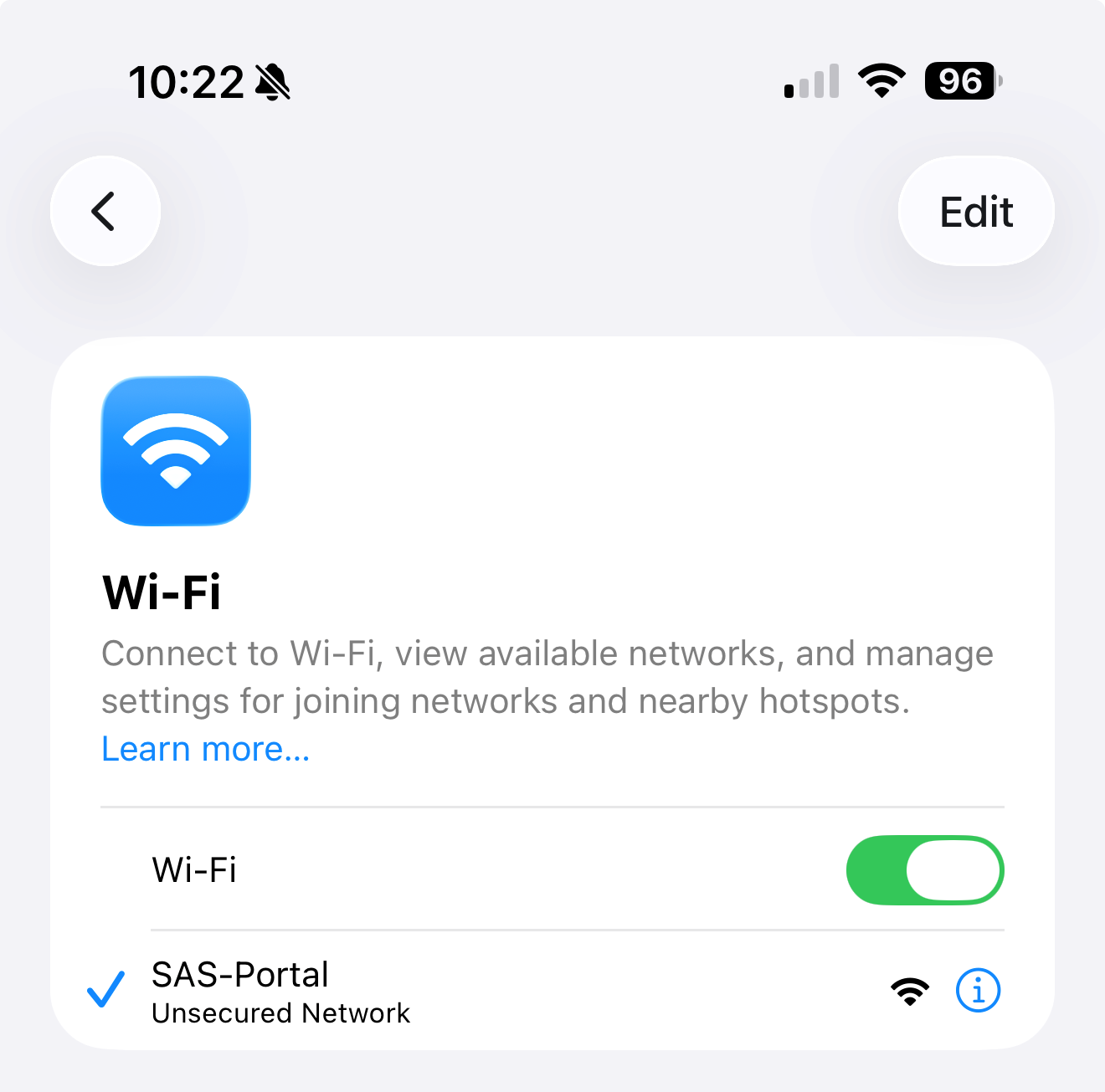
2. Once connected, go to Settings > Wi-Fi and select the blue i icon on the right of SAS-Portal
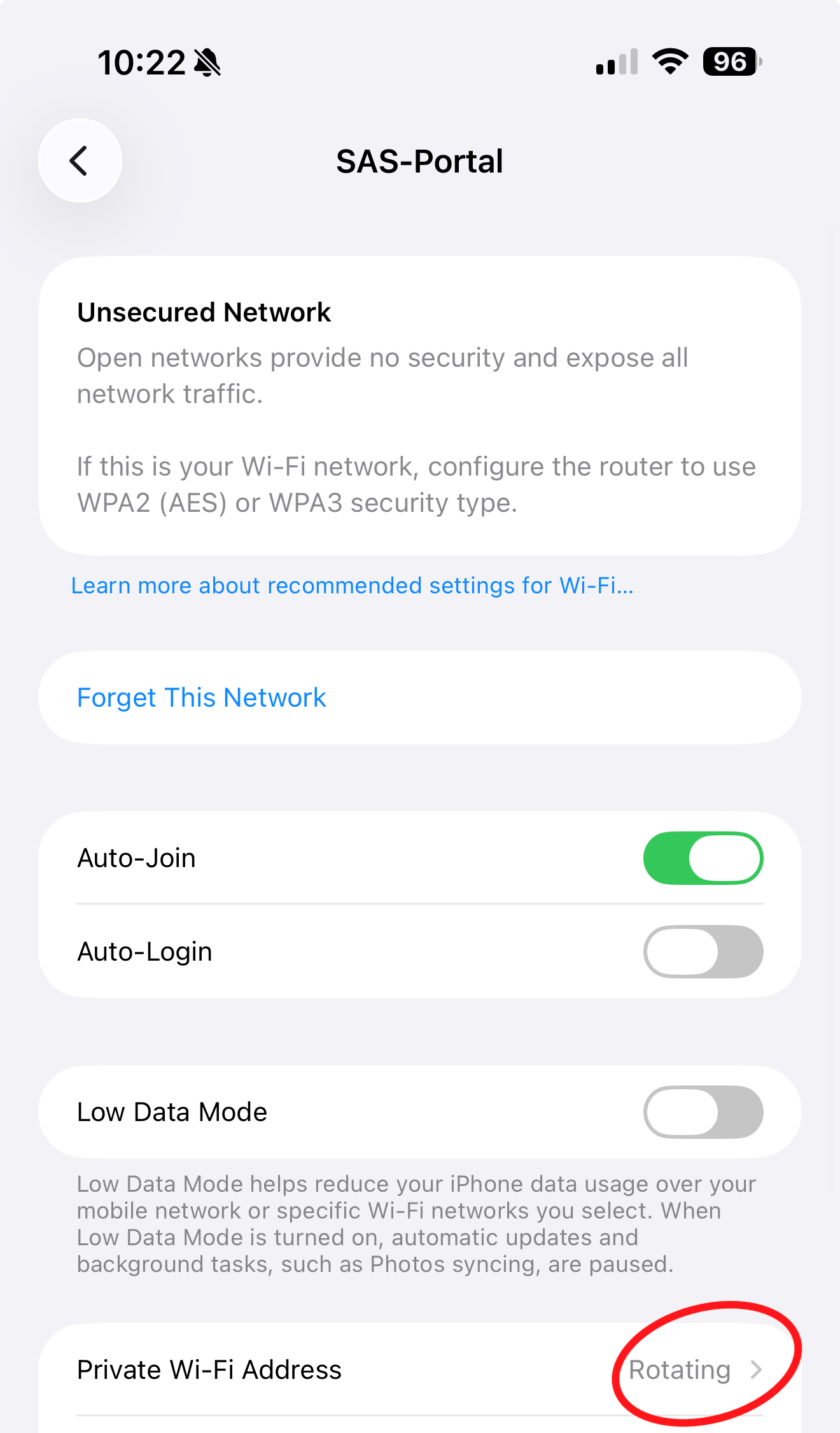
3. For 'Private Wi-Fi Address' select "Rotating"
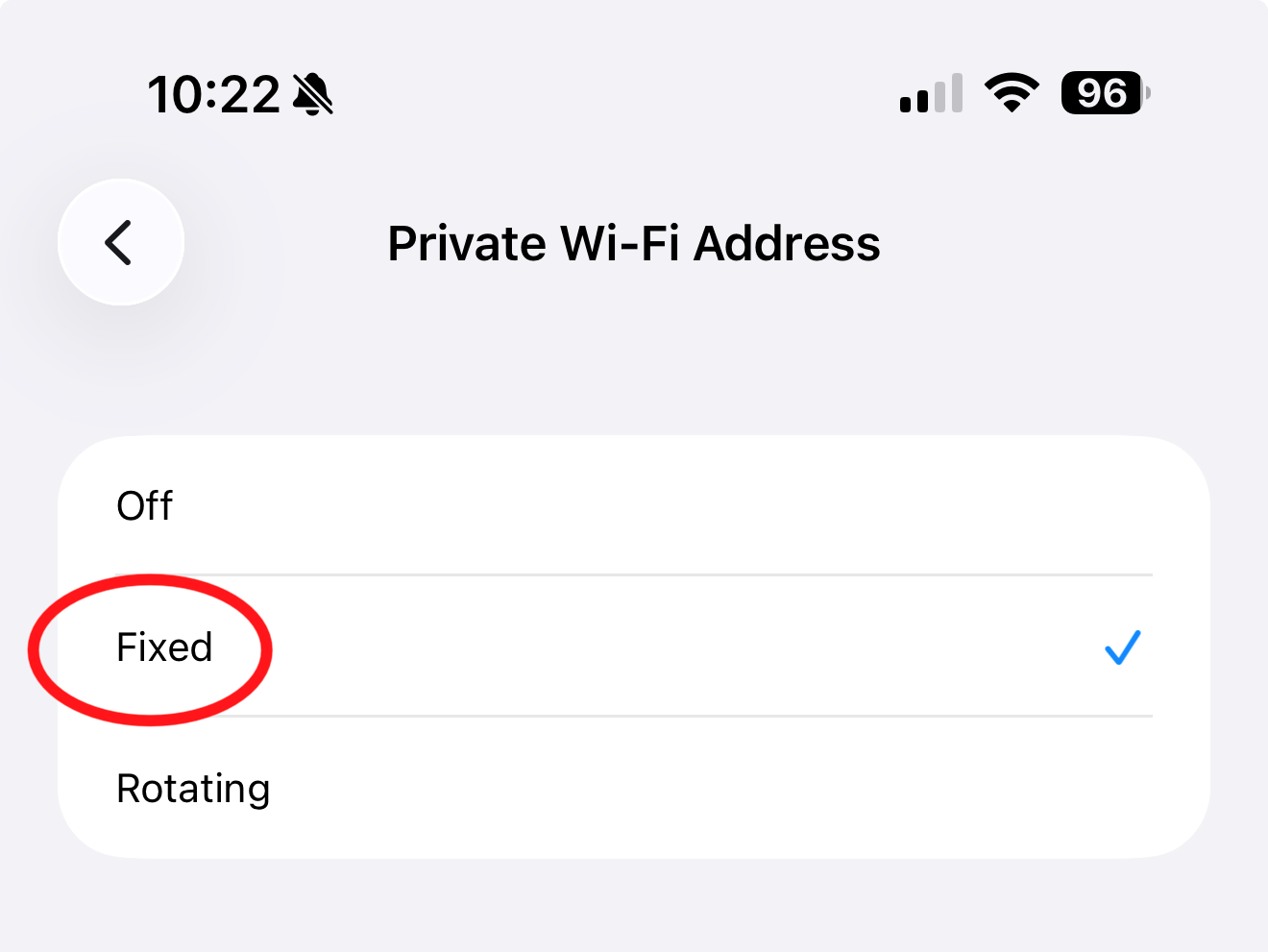
4. Change to 'Fixed'
Was this article helpful?
That’s Great!
Thank you for your feedback
Sorry! We couldn't be helpful
Thank you for your feedback
Feedback sent
We appreciate your effort and will try to fix the article